> For the complete documentation index, see [llms.txt](https://docs.mindkosh.com/llms.txt). Markdown versions of documentation pages are available by appending `.md` to page URLs; this page is available as [Markdown](https://docs.mindkosh.com/image-video-annotation/auto-annotation.md).
# Auto-annotation
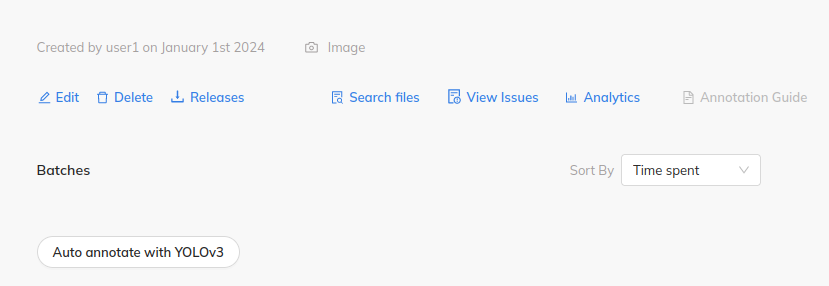
To auto-annotate your task with bounding boxes, click on the Auto annotation button on the task page.
Auto annotate button on the task page
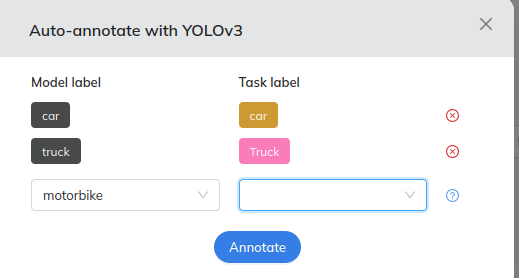
When you click on the Auto-annotate button, you will see a dialog box asking you to map the Model labels with the task labels. Any labels in your task whose name matches the labels that the Model can predict will be auto-populated.
For any other labels, simply select the labels from model and from the task, and the returned output will be assigned the correct labels.
Please note that you can only schedule 1 auto-annotate run for a task at a time.